
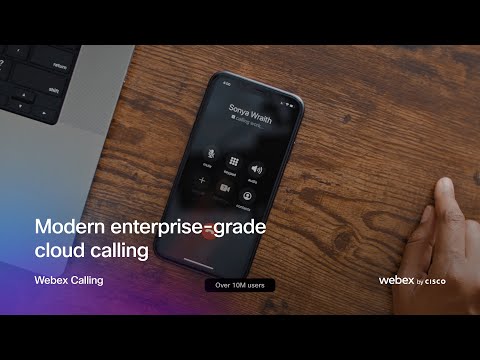


Calling

Cisco Webex · Premier Partner
Calling, meetings and messaging,
in one Webex app.
Webex brings enterprise-grade cloud calling, meetings, messaging and contact centre together, with AI built in and Cisco’s security behind it.
- ✓ Cisco Premier Partner
- ✓ Calling, meetings & contact centre
- ✓ Set up and supported by Amtech
Overview video from Webex
The Webex suiteWebex CallingWebex MeetingsWebex MessagingWebex Contact CenterAI AssistantRoom devices
Why Webex
One platform for every way your team talks.
Separate tools for calls, meetings and chat mean more logins, more licences and more for IT to manage. Webex puts them all in one app, managed from one admin portal.
- Cloud calling with real numbers on desk phones, laptops and mobiles
- AI Assistant for meeting summaries, call notes and actions
- Room and desk devices that join meetings with one tap


How we deliver it
From first call to fully supported
- 01
Discover
We map how calls and conversations come in today, and what your team needs.
- 02
Design & configure
Numbers, call flows, users and integrations set up and tested before go-live.
- 03
Train & go live
Users and admins trained, with numbers ported and the switch-over planned carefully.
- 04
Support & improve
Our UK servicedesk supports your users and reviews the setup with you.
Features
Everything Webex can do for your business
Webex Calling
Cloud phone system with call queues, auto attendants, hunt groups and voicemail.
Webex Meetings
HD video meetings with noise removal, live captions and breakout rooms.
Messaging
Team spaces, file sharing and whiteboarding alongside your calls.
AI Assistant
Meeting summaries, action items and call notes created automatically.
Contact Center
Omnichannel contact centre for voice, chat, email and social, built on Webex.
Room devices
Cisco Room Bars and Boards that join Webex and Teams meetings.
Work anywhere
The same number and features on desk phone, laptop and mobile.
Control Hub
One admin portal for users, numbers, devices and analytics.
How it fits together
One app, every device
Webex connects your phone numbers, meetings and messaging in the cloud. Users pick up on whatever device suits them, and you manage it all from Control Hub.
See it on a demoPhone numbers
Meetings
Messaging
Contact centre
Webex cloudManaged in Control Hub
Laptop app
Mobile app
Desk phones
Room devices
Set up, monitored and supported by Amtech
Who it's for
How organisations use Webex

Replacing an old phone system
Move from an on-site PBX to cloud calling, keeping your numbers and adding mobile and desktop apps.
Number porting planned to avoid downtime.

Hybrid meetings
Reliable video meetings with AI summaries, noise removal and live captions.
Works with Cisco room devices for one-tap joining.

Customer service teams
Webex Contact Center handles voice and digital channels with queues, routing and reporting.
Supervisors see live queues and agent status.
Meeting rooms
Cisco Room Bars, Boards and kits for every room size, from huddle spaces to boardrooms.
Certified for Webex and Microsoft Teams Rooms options.
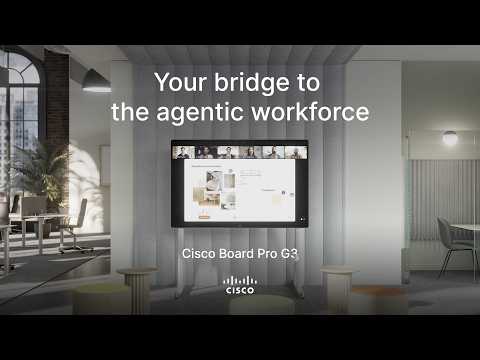
Video library
See Webex in action

Security & compliance
Secure communications, properly managed
We set up every platform to your policies and manage changes through our ISO 27001 certified processes.
- Secure admin access with multi-factor authentication
- Call recording set up to your retention rules
- UK GDPR-aware configuration
- Change control through our servicedesk
- Regular reviews of users and licences
- Backed by ISO 27001 & ISO 9001 certification
Why Amtech
Why buy Cisco Webex from Amtech?
UC specialists
Unified communications is at the heart of what Amtech does.
Vendor-neutral advice
We supply several platforms, so we recommend the one that fits, not the one we have to sell.
Done properly
Number porting, call flows and integrations planned and tested before switch-over.
UK support
Our servicedesk supports your users and manages the vendor for you.
Integrates withMicrosoft TeamsSalesforceMicrosoft 365Google WorkspaceCisco room devicesWebex Contact Center
Get started
Talk to us about Webex
Tell us about your users, sites and rooms. We’ll show you how Webex would work for you and what it would cost.
- Step 1Quick call15–30 minutes on your team, your setup and what you need.
- Step 2DemoWe show you the platform working, using scenarios like yours.
- Step 3ProposalA clear design and fixed price.
- Step 4Go liveSet up, tested and supported by our servicedesk.
FAQs
Questions we often hear
Can we keep our phone numbers?
Yes. We port your existing numbers to Webex Calling and plan the switch-over to avoid downtime.
Does Webex work with Microsoft Teams?
Webex has integrations with Microsoft Teams, and many Cisco room devices can run Microsoft Teams Rooms. We’ll recommend the best setup for you.
Do we need new desk phones?
Not always. Many users prefer the Webex app on laptop and mobile, and we can supply Cisco desk phones where you need them.
Is Webex secure?
Webex is built on Cisco’s security, with encryption and admin controls. We set it up to your policies.
Can we use Webex for our contact centre?
Yes. Webex Contact Center handles voice and digital channels and works alongside Webex Calling.
Cisco, Webex and Catalyst are trademarks of Cisco Systems, Inc. Product details are based on published vendor information and may change.